Recording a visit
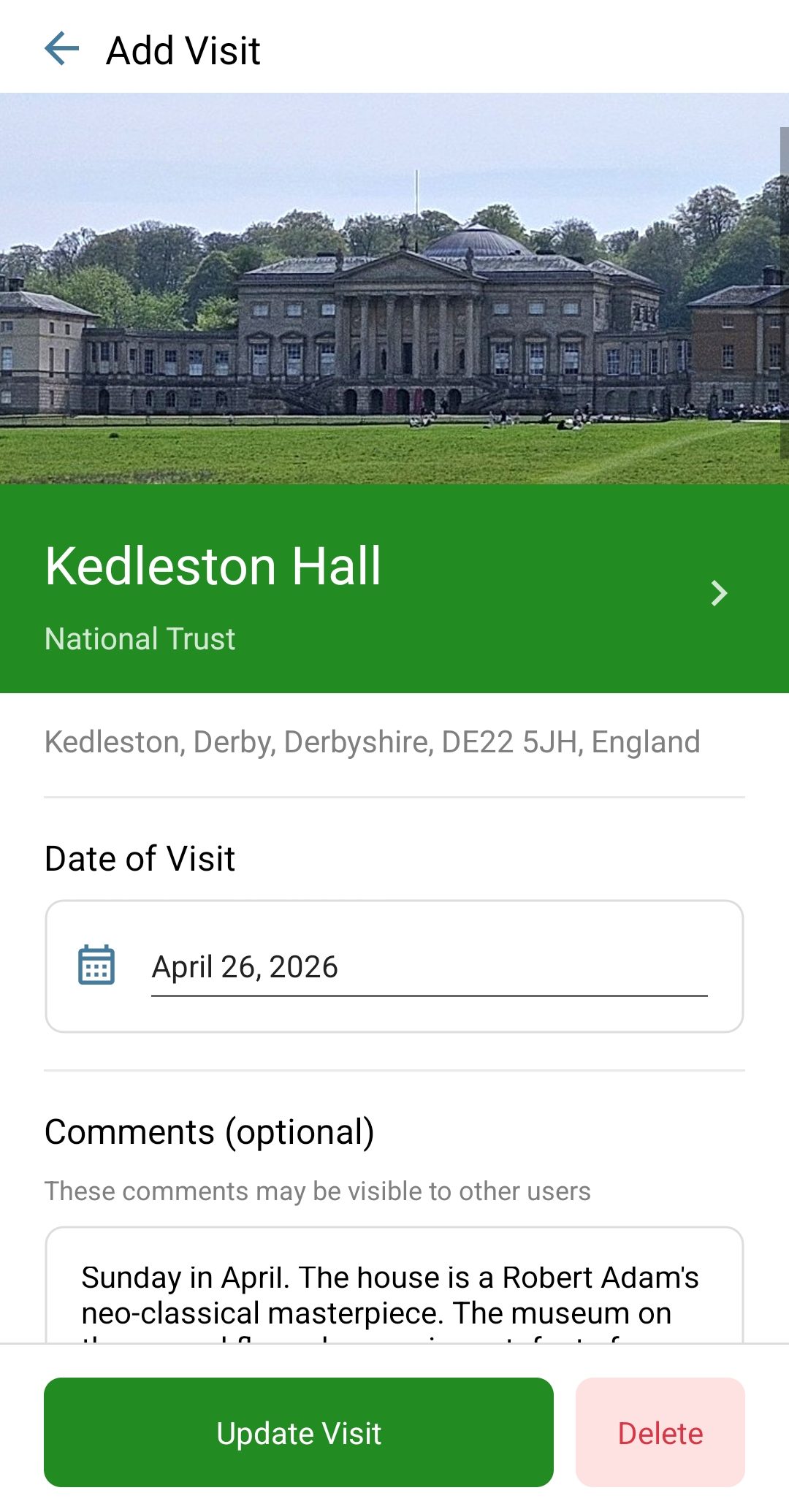
Open any site and tap Record a visit. Set the date, and add as much or as little as you like:
- Comments are your public voice. They may be shown to other users on the site's page, so this is where the recommendation for the tea room goes.
- Notes are never visible to anyone but you. Parking tips, family memories, the things you would only tell yourself.
- Rating: one to five stars, so your favourites are easy to find again.
A visit can be edited or deleted at any time, and everything syncs to your account, so a visit recorded at the castle gate on your phone is already there when you open the website at home.
Photos, public or private
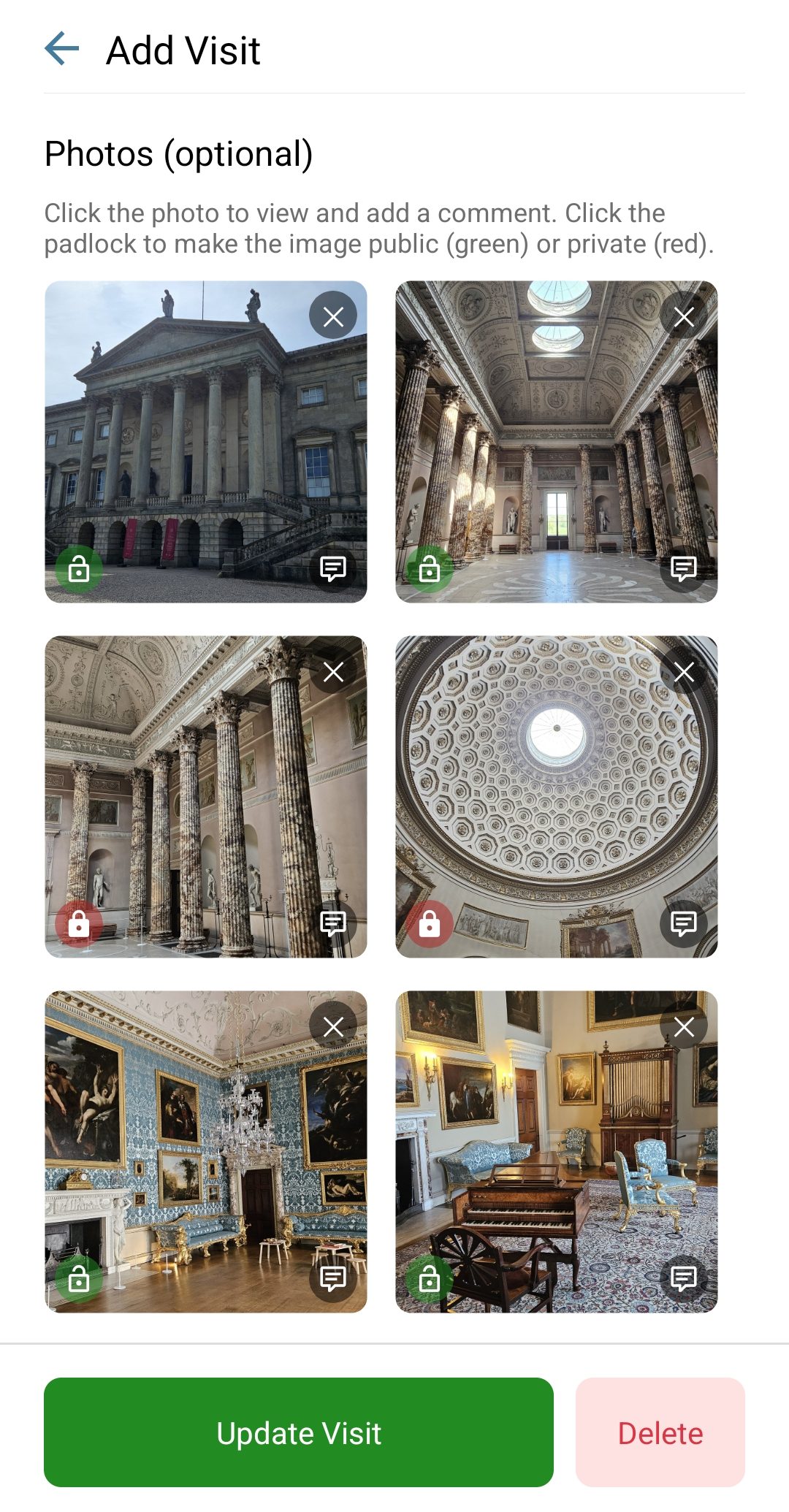
Add photos to a visit by snapping them in the app or uploading from your device. Every image is stored securely in the cloud and on your device, so nothing gets lost with a phone.
Each photo carries its own padlock: tap it to make that image public (green) or private (red). A public photo may appear on the site's page for other visitors; a private one is yours alone. The choice is per photo, so the view of the ruins can be shared while the family picnic stays private, and you can change your mind later.
Tap a photo to view it full size and add a caption comment.
The wishlist
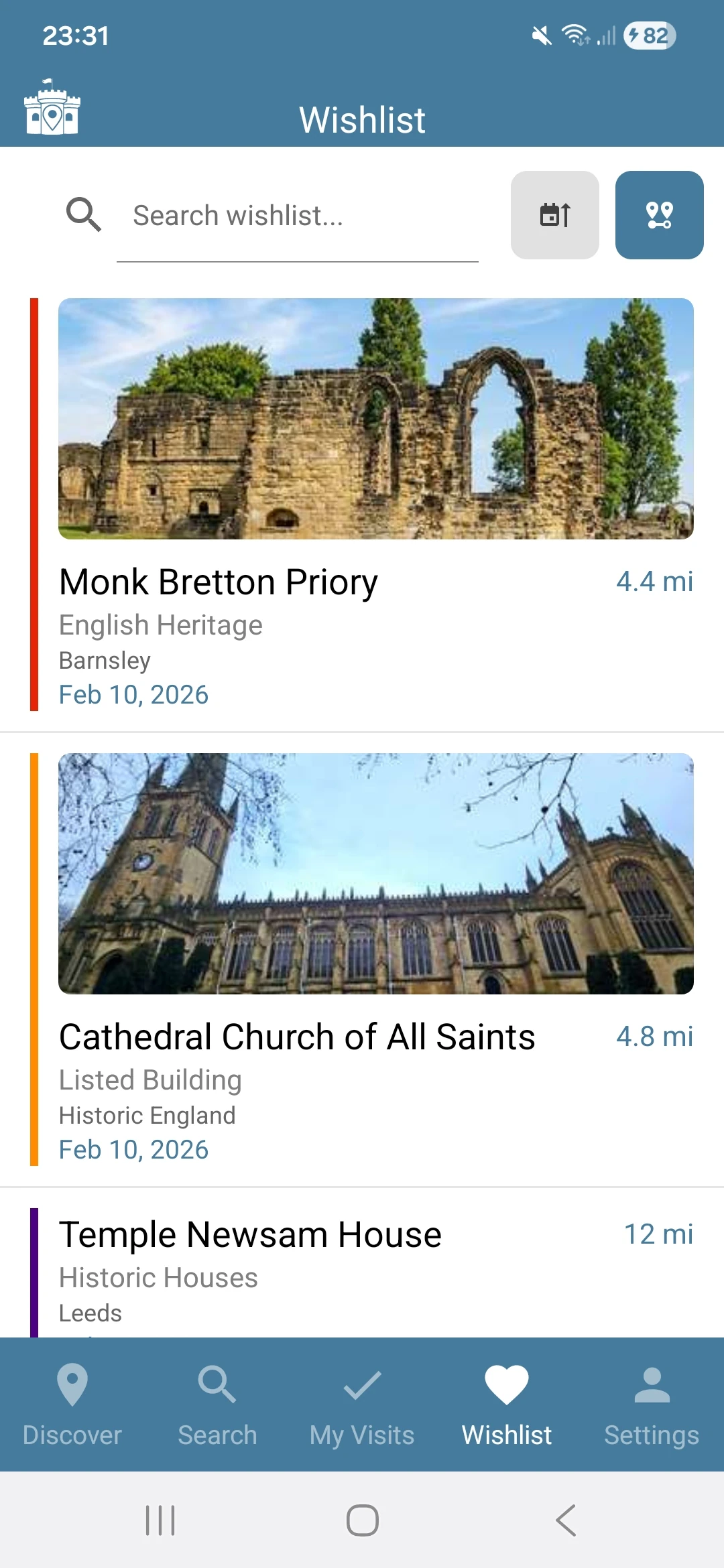
Somewhere you want to go but have not yet? Tap Add to Wishlist on any site. Wishlisted places appear on the map with a heart, and the Wishlist tab keeps them in one list with distances from where you are, which turns an idle Sunday into a shortlist.
When you finally go, record the visit and the site moves from planned to remembered.
On the web
The web map explorer shows your visited and wishlist pins on the big map, and visits can be logged and edited there too. It is the same account, so nothing needs copying across.